My SCRAPBOOK (సేకరణలు): A COLLECTION of articles in English and Telugu(తెలుగు), from various sources, on varied subjects. I do not claim credit for any of the contents of these postings as my own.A student's declaration made at the end of his answer paper, holds good to the articles here too:"I hereby declare that the answers written above are true to the best of my friend's knowledge and I claim no responsibility whatsoever of the correctness of the answers."

Tuesday, June 30, 2015

2108- No windows, don't fart please!

Notice on entry gate of a Apple Store in NY:-
Don't ever fart here;
the smell will stay for ages.
We don't have Windows.
########$$#########
And tit for tat from Microsoft in their premises...
"Anyone visiting us here can be free to use Windows in case you need to release stale gas from yesterday's half eaten apple."
We have been providing open window system to the world since ages. ����

Labels: ,

Monday, June 23, 2014

1524- The story of a software engineer & his Pentium machine!

_________________________
Once upon a time, there was a software engineer who used to develop programs on his Pentium machine, sitting under a tree on the banks of a river. He used to earn his bread by selling those programs in the Sunday market.

One day, while he was working, his machine tumbled off the table and fell in the river. Encouraged by the Panchatantra story of his childhood (the woodcutter and the axe), he started praying to the River Goddess. The River Goddess wanted to test him and so appeared only after one month of rigorous prayers. The engineer told her that he had lost his computer in the river.

As usual, the Goddess wanted to test his honesty. She showed him a match box and asked, "Is this your computer ?" Disappointed by the Goddess' lack of computer awareness, the engineer replied, "No."

She next showed him a pocket-sized calculator and asked if that was his.

Annoyed, the engineer said "No, not at all!!"

Finally, she came up with his own Pentium machine and asked if it was his.

The engineer, left with no option, sighed and said "Yes."

The River Goddess was happy with his honesty. She was about to give him all three items, but before she could make the offer, the engineer asked her, "Don't you know that you're supposed to show me some better computers before bringing up my own ?"

The River Goddess, angered at this, replied, "I know that, you stupid donkey! The first two things I showed you were the Trillennium and the Billennium, the latest computers from IBM !". So saying, she disappeared with the Pentium!!

Moral: If you're not up-to-date with technology trends, it's better to keep your mouth shut and let people think you're a fool than to open your mouth and remove all doubt

Labels: ,

Wednesday, February 19, 2014

1346- A primer to help you pick a phone that’s right for you


HOW TO BUY A SMARTPHONE

Shopping for a new handset? Great! You can finally buy that device you’ve always wanted. But how do you navigate through jargon like dual- and quad-core, GHz, mAh, and megapixels? What makes one operating system different from the other?  read

 – Savio D’Souza (TOI, February 09, 2014)


(1)OPERATING SYSTEM Make no mistake, it’s the OS that puts the ‘smart’ in your smartphone, so before buying, it’s always a good idea to know about the different ecosystems that exist… The Android OS promises native integration with Google services that include Search, Gmail, Maps, Hangouts, YouTube, etc. Besides, you get access to over a million apps in its Play store. The best part? Titles that might be paid downloads on iOS and Windows Phone are sometimes available for free here. Another advantage of an Android handset is that these are plug-and-play. You can simply connect it to your PC via a USB cable to begin transferring files to and from the device with zero hassles. Also, you can choose from phones—costing as less as 4,000 right to those that are priced at over 50k—from vendors such as HTC, LG, Lenovo, Samsung, Sony, and even from local players like Karbonn, Lava, Micromax, Spice and Xolo. Just remember, Android versions are alphabetically named, and the latest in the market are Jelly Bean and Kit-Kat. Make sure you’re putting your money on either of these. Windows Phone is now playing catch-up with Android and iOS – and at last count, its app store just had over two lakh titles. Still, most popular apps have already made their way to this platform. Also, WP handsets in India primarily come from Nokia – and while the OS needs improvements, you get really good hardware for the price you pay. Plus, these devices come with subscriptions to free content like music and movies (depending on the model you buy), and also Here Maps and Drive+, which are arguably the best map and navigation services in the country. iOS, only found in iPhones, is extremely intuitive to use – and since Apple vets every title that makes it to its App store, you’re promised high-quality digital content in the form of educational material, music, videos and apps. The OS itself promises smooth operations, and you’ll find very rare instances of iPhones freezing during use. On the downside, you’ll have to use iTunes to connect the handset to your PC, and this can prove to be quite annoying. And yes, only buy from local authorised dealers; iPhones picked up from abroad are not covered under local warranty.
 

(2)PROCESSORS When shopping, you are bound to hear about dual-core, quad-core, and even octacore processors. But what should you put your money on?
    While a greater number of cores are supposedly better, it does not give you a true picture of how a smartphone may perform. Why? Well, not all cores are designed identically. UK-based ARM, which designs these chips, licenses different architectures – with names such as Cortex A5, A7, A8, A9, A12, A15 – to manufacturers. Here, higher numbers mean better chips. In effect, a phone that uses a quad-core A15 will definitely be more advanced than a handset with a quad-core A5. In fact, there might be instances where dual-core processors
might fare better than quad-core chips.
    Also, a lot of how a processor performs depends on how the OS utilises its abilities. So an iPhone on a dual-core processor could be a better performer than many quad-core Android phones.
    That said, these are some of the names you can expect to hear when shopping…
    Qualcomm’s quad-core Snapdragon 600 and 800 chips, Samsung’s octacore Exynos, and Apple’s dual-core A7 (found on the iPhone 5s, and not to be confused with ARM’s Cortex series) are the top dogs in this market.
    Devices like the Nokia Lumias use mid-range dual-core Qualcomm S4 chipsets that are also seen in handsets like the
Samsung Galaxy Grand Quattro and the Sony Experia M. Older iPhones use a dualcore A6 processor (again, not to be confused with ARM Cortex).
    In the mid- to low-price brackets, you’ll find dual-core Intel Atom chips, the quadcore MediaTek MT6589, and Qualcomm’s dual-core Snapdragon 200 and 400.


(3)DISPLAY The best way to judge a smartphone’s screen is to look at it from different angles for changes in colour, and also in varying lighting conditions for visibility.
    Invest in a Full HD (1080p) display if you’re buying a phablet. On the other hand, HD (720p)
screens work well for devices up to five inches in size. On smaller devices, load a web page to see if the text is crisp, and can be read without any strain to your eyes. In any case, avoid smartphones with lesser than WVGA (800x480px) resolution. AMOLED screens are best when it comes to displaying punchy colours. LCD screens with IPS technology comes a close second, while TFT LCDs should be avoided if you can. 


(4)RAM It’s plain and simple: more RAM is always better.


(5)STORAGE We carry our world – e-mails, social networks, photographs, videos, music – with us on our smartphones, so when buying, always budget for a phone that comes with ample storage.
    Generally, if a phone lists its capacity as 8GB, only about 6.5GB will be available to the user. So if you need 4GB, buy a phone with 8 to 16GB.
    More megapixels and HD video recording capabilities result in images and videos that occupy more space. Also, if you plan on watching Full HD movies on your phone, ensure you have at least 32GB storage.
    If possible, opt for a model that supports microSD cards of up to 64GB so you can always add more memory when you need it.
 

(6)SIZE In our experience, a screen of four to five inches works well for most purposes.
    A phone that has a screen bigger than five inches could be slightly uncomfortable to use with one hand. Also keep in mind that big-screen phones are heavy, and can be uncomfortable to carry in your pocket.
    On the flip side, large screens allow for a better experience while watching movies, playing games and browsing the web.


(7)CAMERA A 5MP camera is capable of 8x6-inch prints even at 300dpi (dots per inch), which is the standard resolution used in professional printing.
    So, if you’re looking for a good camera phone, dump the idea that more megapixels will give you better pictures. Instead, look for phones that boast of good camera optics (go for devices that come with Carl Zeiss lens). Remember, a high-resolution camera with a low-quality lens will only give you low-quality pictures in high resolution.
    In any case, if you need a snapper only for photos you’d like to share on social networks or Instagram, a 10MP camera phone is going to be overkill.
    Opt for cameras with BSI (backside illumination) sensors for better low-light photography; make sure it comes with an LED flash.
    In our experience, if you want a good shooter, you have to shell out extra bucks. Good photos are a result of adequate megapixels, good lens and sensor technology, as well as high-end processor chipsets. The Nokia Lumia 1520, 1020 and 925, the Apple iPhones, the Samsung Galaxy S3, S4 and S4 Zoom, LG G2, and HTC One are known for their good snappers.
    For your front-facing camera, one megapixel is more than adequate.
 

(8)BATTERY You may have the best hardware at your disposal, but if you keep running out of battery, your handset is quite useless…
    Bigger screens, extra cores, and more sensors mean greater power consumption. If you’re considering a smartphone over 4.5-inches in size, look at devices that come with at least a 2000mAh (milliamp-hour) battery. The higher the mAh, the longer the battery will last.
    If possible, select devices that come with lithiumpolymer batteries over lithium-ion. The former are lighter, and also retain their charge for longer.
    And yes, preferably, buy a device that comes with a user-replaceable battery (although a handset like the Lenovo P780, which comes with a 4000mAh non-removable li-polymer battery, could prove to be an exception to the rule).

 
Note: Established brands tend to have better after sales service. But if you’re opting for a handset from a lesser-known manufacturer, check for its service centres in your city. A web search about a company’s track record should give you a fair idea if the organisation is in a position to meet its warranty commitments. (With inputs from Javed Anwer) 

_______________________________________

Labels: , , , , ,

Tuesday, February 18, 2014

1345- 'మెరిటోక్రసీ '- నీ చిరునామా ఎక్కడ?


 ...సత్య నాదెళ్ళను మైక్రోసాఫ్ట్ సీ.ఈ.ఓ.గా నియమిస్తున్న తరుణంలోనే అమెరికా ఆధ్యక్షుడు ఒబామా మరో ప్రవాస భారతీయుడు డా|| మూర్తిని అమెరికా చీఫ్ సర్జన్ గా నియమించారు.
డా|| మూర్తి వయసు కేవలం 36 సంవత్సరాలు. అమెరికాల
ో అత్యంత ఉన్నత స్థానం, వైద్యరంగంలో సాధించారు, కర్ణాటకాకు చెందిన డా|| మూర్తి.
అమెరికాని మనం ఎన్నో రకాలుగ విమర్శించినా వారు అనుసరించే 'మెరిటోక్రసీ ' విధానాన్ని మాత్రం మనం అభినందించాల్సిందే.
విదేశాలలో ఇటువంటి విజయ గాధలు మనం మున్ముందు అనేకం వినబోతున్నాం. వారి మెరిట్ ని ఉపయోగించలేకపోయినందుకు భారతదేశం సిగ్గుపడాలా! లేక ఎక్కడో ఒకచోట తమ మెరిట్ కి గుర్తింపు తెచ్చుకున్నందుకు అభినందించాలా?

(డా|| దుగ్గరాజు శ్రీనివాస రావు, స్వాతి వార పత్రిక)

_____________________________

Labels: , , , , , ,

Wednesday, May 15, 2013

1174-Speaking Of Science- Sixty years of IT in India

D.Balasubramanian

dbala@lvpei.org


Supercomputer ‘SAGA-220,’ built by the Satish Dhawan Supercomputing Facility, located at the Vikram Sarabhai Space Centre.— photo: PTI
Supercomputer ‘SAGA-220,’ built by the Satish Dhawan Supercomputing Facility, located at the Vikram Sarabhai Space Centre.— photo: PTI 
I was struck by a recent headline that appeared in the business pages of newspapers, stating that the IT-related exports from India are expected to touch US $ 87 billion in 2014. In these days when colossal figures related to scams hit the headlines, this figure, coming out of hard, honest work, largely by “Generation X” is heartwarming. And to put this figure in historical perspective, software and services exports fetched us US $ 2 billion in 1998 and 50 billion in 2010. IT contributes about 7 per cent of India’s gross domestic product and employs about 2.4 million software professionals.
All this in a matter of less than 60 years!

The year 2014 marks the start of the Diamond Jubilee of the entry of computers into India. Professor V. Rajaraman, whom all of us consider as the Bhishma Pitamaha of computer education in India, summarizes the story of IT in his recent monograph “History of computing in India – 1955- 2010”. It traces the milestones of the growth of IT in India from day one, 1955, when the first UK-made digital computer named HEC-2M was set up at the Indian Statistical Institute (ISI), Calcutta by Drs Mohi Mukherjee and Amesh Roy. Rajaraman points out that this machine had but a memory of 1024 (24 bit words) and arrived at the ISI without any manuals. Mukherjee and Roy had to write them and a dozen people used them.

But a truly Indian-made computer was made by Professor R. Narasimhan at the Tata Institute of Fundamental Research (TIFR) Bombay, when he put together a pilot computer to design logic circuits in 1956. This was later expanded to produce the TIFR automatic calculator or TIFRAC, inaugurated (and christened) by Jawaharlal Nehru. Professor P.V.S. Rao, who was part of the TIFRAC team describes the story in exciting detail in the scholarly book “Homi Bhabha and the Computer Revolution” edited by Professors R. Shyamasundar and M.A. Pai (Oxford, 201; hereafter called the S + P book) dedicated to R. Narasimhan, whom they call the doyen of Indian computer science. Soon after, ISI combined with Jadavpur University and produced another home made, second generation transistor-based computer named ISIJU.

Even as these computers were getting built and used, two important developments occurred in the 1960s. One was the establishment of the IITs, particularly IIT Kanpur, where the American partners brought in what was at that time a state-of-the-art computer IBM 1620, along with a Fortran II compiler. Prof. Rajaraman points out in the S + P book how important this high-level language was at the time — novel, contemporary and easier learnt than others. The second related development was the teaching and training program that IITK embarked on. Rajaraman wrote has first bestseller “Principle of Computer Programming”, which he forced the publishers to price at Rs 15/- so that many students can buy and learn from it; it has run its 50{+t}{+h}edition now. The machine, the mentor, the manuscript, and the bright-eyed mentees basking in the new-found mode of American informality in learning (access to all, 24/7); this invigorating cocktail made hundreds of students take to computers and IT.

The decade of the 1970s is equally important. This was the period when the self-reliant growth of the computer industry blossomed, through the Department of Electronics and the Electronics Commission of India. ECIL designed the Trombay Digital Computer TDC-12 and sold this and other versions in the market. In the private sector, Tata Consultancy Limited (TCS) was established and by 1975 TCS, under Dr. F.C. Kohli, installed Burroughs machines and began to export software. National Informatics Centre (NIC) was established, where Dr. Seshagiri set up networks such as NICNET and the Very Small Aperture Terminal (VSAT), providing opportunities for data sharing, monitoring and e-mail (my first emails were courtesy NIC). Computer Maintenance Corporation (CMC) was also set up.

By the 1980s, software development by various companies began in right earnest. By 1985 software export by TCS, CMC and others touched US$ 30 million. (Dr. Kohli has a fascinating chapter in the S+P book). Private sector entered the IT field in full measure, intercity connectivity via ERNET became operational and the National Supercomputer Centre was established at IISC Bangalore, where Rajaraman moved. Kanpur’s loss was Bangalore’s gain.

Two interesting examples of the adage “necessity is the mother of invention” came about during the 1980s. One was the need to make voting and vote-counting tamper-proof during elections in the country. The Electronic Voting Machine (EVM) was developed by ECIL and Bharat Electronics, and used. The second is the imposition of computer export ban by the US on India, which led our home-grown experts to design parallel processing machines, called PARAM.

A major milestone in boosting computers and IT in India was in the mid 1980s when the government liberalized computer import and use, with Seshagiri, and Pitroda as advisors (read them recount their experience in the S+P book), through the NIC and Centre for Development of Telematics (CDOT). Further liberalization and globalization of the economy in 1991 made private players such as Infosys, Wipro, Satyam and others become globally recognized. Rajaraman points out how factors such as “night in India, day in America” and correcting the Y2K problem came in handy for Indian IT companies. By the year 2010, IT had given employment to over 2.5 million Indians and brought in US$50 billion.

This fascinating story of the birth and growth of IT in India has some special features so relevant to current times. Interesting how individuals make all the difference – Nehru, Bhabha, Mahalanobis, Sarabhai, Narasimhan, Kohli, Menon, Srikantan, Rajaraman (not to forget Prof. Mahabala and the IITK Director Kelkar), Narayanamurthy, Premji – with their dedication, character, ethical standards, selfless service and commitment. See how even the Satyam aberration was quickly and admirably corrected. O Tempora O Mores! Or should I say: Cometh the moment cometh the man ?

(The Hindu, Science & Tech, 21:02:2013) 
___________________________________________

Labels: , , , , ,

Saturday, March 30, 2013

Facebook


via Facebook
_________________________________________

Labels: ,

Friday, December 23, 2011

THE SILLY SIDE OF FACEBOOK

 C.Deepalakshmi
____________________

Call it the FB mania or FBism, the “in-thing” today. Every other person surely has an FB ID whether or not has a Pan ID,  Voter ID, Smart Card ID or Passport ID. Be it teenagers, youngsters, the  middle aged and now even senior citizens (out of compulsion to be in  touch with their NRI children) are all falling into this culture called  FB.

I believe what attracts them about Facebook are :
F: free;

A: advertising of oneself
C: campaigning for one's ideas, with
E:entertainment on a
B: big scale, giving
O: opinions,
O: opposing  at times and
K: knitting strangers.

Facebook provides the free opportunity to advertise oneself by uploading hundreds of photographs; I wonder if any friend would have the time and patience to see all these photos and comment on the same. The most common comments are, “How sweet”, "Awesome pic”, “Excellent pic”, “Soooo sweet”  or “Lovely pics”, with hardly even 10 per cent of sincerity and truth in the comment. The sole intention is — I commented on yours, now you comment on mine.

Facebook allows campaigning for  one's ideologies through posting uninvited, unsolicited comments, emphasising views and thoughts vehemently and ending up in a war of  words between absolute strangers.

But what excites me is the daily status updates. Anything is posted in the name of updating status. Following are some of these: “feeling low today”, “I am having a running nose”, “had idly, vada, sambar and icecream yesterday”, “want to go for a movie”, “made potato curry today.”  Sometimes, the status updates have a picture as well, specially during festivals. A  proud display of home made diwali sweets, krishna jayanti sweets and, at times, the daily cooked meals, sometimes accompanied with recipes.  And the comments for these are, “I wish I could eat it now”, “looks delicious” (wonder what would happen if the friend really tasted it),  “please send it across.”(so that they could skip cooking on that day.)  The most amazing one was the status update of a woman with the ultrasound
scan picture of her foetus, posted as her profile picture.What a pity even the unborn is forced to be a part of the facebook!


Last but not the least, the number race for having the highest number of friends lures them into accepting and sending friend requests for and from aliens; however, they may avoid their own relatives fearing breach   of privacy. Also, such people have trouble saying “hello” to their neighbours, but the irony is the same neighbours who live just a few  yards away are the best of friends on facebook and are found commenting on each other's pictures and perhaps chatting.
God save these jerks! Not excluding myself — a victim of this FB fanaticism.

Why this FB veri di?
(The writer's email id is: deepusekhu@gmail.com)

(The Hindu, Open Page, 18:12:2011)

__________________________

Labels: , ,

Sunday, October 23, 2011

Chat Rooms

(From FaceBook)
________________________________________


Labels: , ,

Monday, October 17, 2011

ABC


from facebook
____________________________________

Labels: ,

Thursday, September 09, 2010

Bovinity of modern times: Emerging 'isms' of the new economy


INFOSYSism
You have a 1000 poor cows. You put them on a nice campus, & send them one at a time to the US for milking.

PATNIism
You have 10 cows. You make them work so that they give milk of 100 cows

WIPROism
GE has a cow. You take 49% of the milk.

DELLism
Intel has a Goat. Samsung has a Camel. Buy milk from both & sell it as Cow's milk.

IBMism
You have old stubborn cows. You sell them as pet dogs to innocent small businessmen.

MICROSOFTism
You have a cow. Force the world to buy milk from you. Spend a million dollars to feed poorer cows.

SUNism
You have a bull. It doesn't give milk. You hate Microsoft.

ORACLEism
You have a cow. You don't know which side to milk, so you sell tools to help milk cows.

SAPism
You don't have a cow You sell milking solutions for cows implemented by milking consultants.

APPLEism
You have a cow. You sell iMilk.

SONYism
You have a cow. You spend $50 mn to develop the world's thinnest milk.

CITIBANKism
Welcome to Citibank. If you have a cow, press 1. If you have a bull, press 2...stay on line if you'd like our customer care to milk it for you.

HPism
You don't know if what you have is a cow. You sell complete milking solutions through authorised resellers only.

GEism
You have a donkey. People think you have a 100-year old cow. If someone finds out, that's his imagination at work.

RELIANCEism
You don't yet have a cow. You sell empty cans to people for Rs. 501, because Dhirubhai wanted everyone to have milk.

TATAism
You have a very old cow. You re-brand it as TATA Indicow.

(an email forward)
____________________________

Labels: ,

Sunday, March 01, 2009

WWW.......................


(AN email forward)
___________________________________

Labels: ,

Friday, February 20, 2009

మీ పీసీలో ఈ పనోళ్లు ఉన్నారా?


ఇల్లెంత పెద్దగా ఉన్నా... ఎక్కడి చెత్త అక్కడే ఉంటే ఏం బాగుంటుంది చెప్పండి!

అలాగే, సిస్టం సామర్థ్యం ఎంత ఎక్కువున్నా అనవసరమైన ఫైల్స్‌ అక్కడక్కడా ఉండిపోతే... మెమొరీ నిండిపోయి పనితీరు మందగిస్తుంది. మరి ఈ చెత్తను తీసేయడం ఎలాగబ్బా! ఏముందీ.. కొందరు పనోళ్ళను పెట్టుకోవడమే! వాళ్ళే వీళ్ళు!

చెప్పకుండానే
పేరు 'రిజీసీకర్‌'. ఓ మంచి పనోడు. సిస్టం రిజిస్ట్రీలో ఉన్న అనవసరమైన చెత్తను తొలగించడం ఇతని బాధ్యత. అన్‌ఇన్‌స్టాల్‌ చేసిన సాఫ్ట్‌వేర్లకు సంబంధించిన ఫైల్స్‌ సిస్టంలో ఏదో మూల ఉండిపోతుంటాయి. బ్రౌజింగ్‌ చేసినప్పుడు హిస్టరీ, రిజిస్ట్రీల్లో కొన్ని ఫైల్స్‌ చేరుతుంటాయి. ఇలాంటి వాటిని వెతికి పట్టుకుని తోలగించడం రిజీసీకర్‌ కర్తవ్యం. గుడ్డెద్దు చేలో పడ్డట్టు పని చేసుకుపోకుండా Automatic, Exclusion పద్ధతుల్లో ఫైల్స్‌కు సంబంధించిన సమాచారాన్ని చూపుతూ అవసరమా కాదా అని తెలుసుకున్న తర్వాతే డిలీట్‌ చేస్తాడు. ఈ పనోడిని పిలిపించుకోవడానిక http://fileforum.betanews.com/detail/ regseeker/1035382760/1 చూడండి.

చక్కగా సర్దేస్తుంది...
పేరు 'ట్యూన్‌అప్‌ యుటిలిటీస్‌ 2009'. ఓ నమ్మినబంటు. శుభ్రం చేయడం మాత్రమే కాకుండా చక్కగా సర్దడం కూడా చేస్తాడు. పని మొదలు పెట్టగానే సిస్టం మొత్తాన్ని స్కాన్‌ చేసి ఎక్కడెక్కడ పనికిరాని ఫైల్స్‌ ఉన్నాయో గుర్తించడం, టెంపరరీ ఫైల్స్‌ని, రిజిస్ట్రీ, హిస్టరీలోని అనవసర ఫైల్స్‌ని చూపించి ఏరి పారేయడం చేస్తాడు. ఒకే ఒక్క క్లిక్‌తో సిస్టం మొత్తం జాతకాన్ని చూపిస్తాడు. అవసరానికి అనుగుణంగా Tuneup Drive Defrag, Tuneup memory Optimizer, Tuneup Speed optimizer... ఎన్నో అవతారాలు ఎత్తేస్తాడు. ఈ పనోడి మరిన్ని వివరాలకు www.tune-up.com/products/tuneup-utilities/ చూడండి.

చూసిరమ్మంటే చాలు!
పేరు 'సింపుల్‌ ఫైల్‌ స్రెడ్డర్‌ 3.2'. చూసిరమ్మంటే ఏకంగా కాల్చొచ్చే రకం. ఒక్కసారి పనికిరాని ఫైల్‌ని డిలీట్‌ చేస్తే అది మళ్లీ కనిపించదు. అయినా ఈ పనోడితో ప్రమాదం ఏం కాదులెండి. అన్నీ మన ఆదేశాల మేరకే చేస్తాడు. ముఖ్యమైన ఫైల్స్‌కు పాస్‌వర్డ్‌ ద్వారా రక్షణను ఏర్పాటు చేస్తాడు. చెత్తను ఊడ్చేస్తున్న క్రమంలో 'కలర్‌ గైడ్‌' ఆప్షన్‌ ద్వారా రన్‌ అవుతున్న ఫైల్స్‌ని, సిస్టం ఫైల్స్‌ని, రీడ్‌ ఓన్లీ- హైడ్‌ చేసిన ఫైల్స్‌ని సులువుగా గుర్తించవచ్చు. ఈ సేవకుడి కోసం www.download.com/simple-file-shredder/3000-2092_4-10301332.html చూడండి.

ఆస్థాన సేవకులు
పేర్లు సీక్లీనర్‌, హెచ్‌డీ క్లీనర్‌. ఎక్కువ శాతం పీసీ యూజర్లకు పరిచయం ఉన్న సేవకులు. సరైన పద్ధతిలో ఉపయోగించుకుంటే వీళ్లు పీసీని పువ్వుల్లో పెట్టి చూసుకుంటారు. టెంపరరీ ఫైల్స్‌, కూకీస్‌, హిస్టరీ, ఫాంట్స్‌, ఇన్‌స్టాలేషన్‌ ఫైల్స్‌... ఇలా చెత్త ఏ రూపంలో ఉన్నా వీరి కంటి నుంచి తప్పించుకోలేవు. ఈ జోడు పనోళ్లు సాఫ్ట్‌వేర్లను అన్‌ఇన్‌స్టాల్‌ కూడా చేసేస్తారు. వీరి వివరాలకు www.download.com/ccleaner/ ,www.hdcleaner.en.softonic.com/ చూడండి.


(ఈనాడు, eనాడు , ౧౯౦౨౨౦౦౯)
___________________________________

Labels:

Wednesday, November 14, 2007

Windows in Hindi (Atyant Mulayam Khidkiyan 2000)

Bill Gates was in India last year. He announced that Microsoft plans to release a Windows version in Hindi. Here are some of the Windows related terms that have been approved by Bill Gates to be used in the Hindi version of... Khidkiyan 2000:( More appropriately Atyant Mulayam Khidkiyan 2000 )

Atyant Mulayam = Microsoft
Khidki = Window
Phaail = File
Bachao = Save
Aise Bachao = Save as
Subko Bachao = Save All
Mujhe Bachao = Help
Madad Pe Madad = Help On Help
Dhoondo = Find
Firse Dhoondo = Find Again
Dhoondo aur Badlo = Find & Replace
Hilao = Move
Nakal = Copy
Chipkao = Paste
Chaara = Options
kachre ka daaba = Recycle bin
Bura sandesh yaa phail naam = Bad command or file name
Firse koshish karo, Naakaamyab = retry,fail
chhavo = Tile
Daak Bhejo = Send Mail
Daak = Mail
Daakiya = Mailer
Bhaago = Run
Chhaapo = Print
Dekh Ke Chhaapo = Print Preview
Chipkao = Paste
Khaas Chipkao = Paste Special
Mitao = Delete
Kagaz Uper = Page Up
Kagaz Neeche = Page Down
Anth = End
Saaf karo = Clear
Sab Kuch Saaf Karo = Clear All
Makan = Home
Topi Ka Tala = CapsLock
Hathiyaar = Tools
Khuli Chaadar = Spreadsheet
Futaas Ki Goli Kha = Exit
Ped = Tree
Chooha = Mouse
Chooha Chalak = Mouse Driver (Software)
Tik-Tik Karo = Click
Idhar-se-Udhar,Udhar-se-Idhar Wala Danda = Scrollbar
Pardha = Screen
Pardha Bachanewala = Screen Saver
Krimi = Virus
Tika = Anti Virus
Karo = Do
Galthi = Error
Ghusao = Insert
Pahle Ghusao = Insert Before
Beech Mein ghusao = Insert Between
Baadhme Ghusao = Insert After
Chabi Phalak = Key board
Choohha Ka Bisthar = Mouse Pad
Avaaz Phodney Wali Cheez = Sound Blaster
Antar Jaal = InterNet
Baath Cheeth Dabba = Dialog Box
Chale? = Exit?

(An email forward)
_________________________________________
Please also see:
my blog for "
Enzooy dis fun stuff",Tuesday, May 16, 2006
_______________________________________________

Labels: ,

Sunday, June 24, 2007

A Software Engineer's Wedding Invitation !

(An e-mail forward)
__________________________________________

Labels: ,

Saturday, December 30, 2006

www


-----------------------------------------------------------------------------

Labels: ,

Saturday, December 16, 2006

Love Marriage VS Arranged Marriage - The IT Perspective


Love Marriage:
Resembles procedural programming language. We have some set functions like flirting, going to movies together, making long conversations on phone and then try to fit all functions to the candidate we like.

Arranged Marriage:
Similar to object oriented programming approach. We first fix the candidate and then try to implement functions on her. The main object is fixed and various functions are added to supplement the main program. The functions can be added or deleted.


Love Marriage:
It is a throwaway type of prototype as client requirements rises with time thus it is a dynamic system and difficult to maintain.

Arranged Marriage:
Requirements are well defined so use of waterfall model is possible.


Love Marriage:
Family system hangs because hardware called parents are not responding.

Arranged Marriage:
Compatible with hardware Parents.


Love Marriage:
You are the project leader so u are responsible for implementation and execution of PROJECT- married life.

Arranged Marriage:
You are a team member under project leader (parents) so they are responsible for successful execution of project Married life.


Love Marriage:
Client expectations include exciting feature as spouse cooking food, washing clothes etc.

Arranged Marriage:
All these features are covered in the SRS as required features.


Arranged Marriage is
like Unix..boring n colorless... still extremely reliable n robust.

Love Marriage is
like Windows, beautiful n seductive........ yet one never knows when it will crash........

(by Salam Nabakumar Meitei
http://www.e-pao.net/epSubPageExtractor.asp?src=leisure.wj.Love_Marriage_
VS_Arranged_Marriage)
____________________________________________________

Labels: ,

Saturday, November 18, 2006

IS A COMPUTER MASCILINE OR FEMININE?


A computer instructor was explaining to her class that French nouns, unlike their English counter parts, are grammatically designated as masculine or feminine. Things like ‘chalk’ or ‘pencil’, she described, would have a gender association although in English these words were neutral. Puzzled, one student raised his hand and asked,” What gender is a computer?”
The teacher wasn’t certain which it was and so divided the class into two groups and asked them to decide if a computer should be masculine or feminine. One group was comprised of girls in the class and the other, of boys. Both groups were asked to give four reasons for their recommendation.

The group of girls concluded that computers should be referred to in masculine gender because:

1. In order to get their attention, you have to turn them on.

2. They have a lot of data but are still clueless.

3. They are supposed to solve your problems, but half he time they are THE problem.

4. As soon as you commit to one, you realize that, if you have waited a little longer, you could have had a better model.


The boys, on the other hand, decided that computers should definitely be referred in the feminine gender because:

1. No one but their creator understands their internal logic.

2. The native language they use to communicate with others computers is in comprehensible to every one else.

3. Even your smallest mistakes are stored in long term memory for later retrieval.

4. As soon as you make a commitment to one, you find yourself spending half your pay check on accessories.

- - - - - - - -

Labels: ,

Monday, October 09, 2006

Some Rare pics...!!!


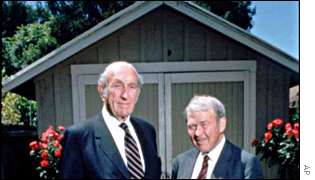
Bill Hewlett(L) and Dave Packard(R) of HP. Behind them in the picture is the famous HP Garage. Bill Hewlett and Dave Packard tossed a coin to decide whether the company they founded would be called Hewlett-Packard or Packard-Hewlett. And the winner was NOT Bill... the winner was Dave.
____________________________________________________

Linus Torvalds of Linux Operating System Linus Torvalds originally used the Minix OS on his system which he replaced by his OS. Hence the working name was Linux (Linus' Minix). He thought the name to be too egotistical and planned to name it Freax (free + freak + x). His friend Ari Lemmk encouraged Linus to upload it to a network so it could be easily downloaded. Ari gave Linus a directory called linux on his FTP server, as he did not like the name Freax. Linus like that directory name and he kept the name of his new OS to LINUX...
________________________________________________________

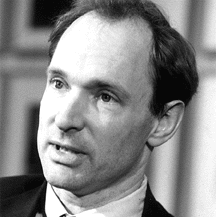
Tim Berners Lee -- Founder of the World Wide Web
_________________________________________________________

Picture taken when microsoft was started
_______________________________________________________
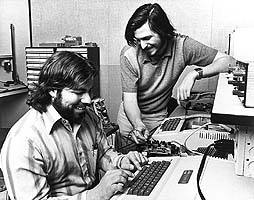
Steve Woznaik(sitting) and Steve Jobs of APPLE Computers. He was three months late in filing a name for the business because he didn't get any better name for his new company. So one day he told to the staff: " If I'll not get better name by 5 o'clcok today, our company's name will be anything he likes..." so at 5 o'clcok nobody comeup with better name, and he was eating APPLE that time... so he keep the name of the company 'Apple Computers' ________________________________________________________
Ken Thompson (L)and Dennis Ritchie(R) ,creators of UNIX. Dennis Ritchie improved on the B programming language and called it 'New B'. B was created by Ken Thompson as a revision of the Bon programming language (named after his wife Bonnie) He later called it C.
_______________________________________________________
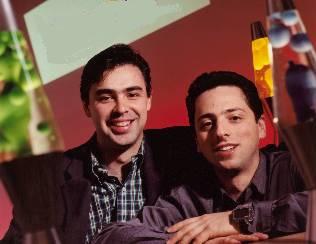
Larry Page(L) and Sergey Brin(R), founders of Google. Google was originally named 'Googol'. After founders (Stanford graduates) Sergey Brin and Larry Page presented their project to an angel investor... they received a cheque made out to 'Google' !... So they kept name as GOOGLE
_____________________________________________________________
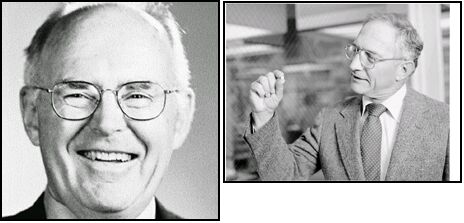
Gordon Moore(L) and Bob Noyce(R) ,founders of Intel. Bob Noyce and Gordon Moore wanted to name their new company ' Moore Noyce'. But that was already trademarked by a hotel chain... So they had to settle for an acronym of INTegrated ELectronics... INTEL
______________________________________________________

Andreas Bechtolsheim , Bill Joy, Scott Mc Nealy and Vinod Khosla of SUN(StanfordUniversity Network) MicroSystems. Founded by four StanfordUniversity buddies. Andreas Bechtolsheim built a microcomputer; Vinod Khosla recruited him; Scott McNealy to manufacture computers based on it; and Bill Joy to develop a UNIX-based OS for the computer... SUN is the acronym for Stanford University Network.
________________________________________________________
Picture taken when INFY was started. This picture was found in the album of the clerk who took this picture...The picture was with that clerk only because it was his birthday and he just told everyone to stand together at one place to take a pic. He borrow a camera from his friend and as he can not tell any of his boss to take pic, so he took pic by himself... even it was his birthday.
________________________________________________________

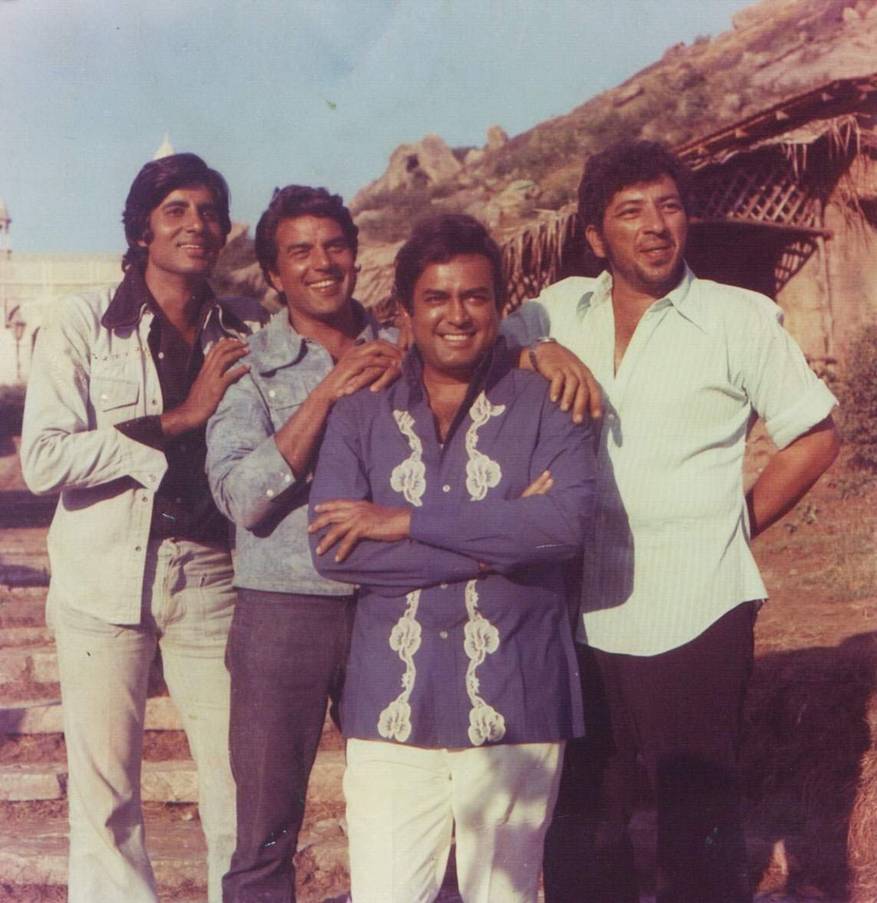
AND THIS PICTURE WAS TAKEN WHEN SUPERHIT SHOLEY WAS STARTED...... They were looking at asrani when he was doing practice first time with his funny Jailer's dress... ALONE on one rock...
____________________________________________________

Labels:

Saturday, October 07, 2006

CTRL+ALT+DEL


Have you ever thought of the person who invented "CTRL+ ALT + DEL" key combination.

"David Bradley" -- He is the One who spent 1 minute and 23 seconds in writing the source code that rescues the world's PC users for decades.


This extraordinary IBM employee retired a year ago on Friday after a prolong service of 29 years.His formula forces obstinate computers to restart when they no longer follow other commands. By 1980, Bradley was one of 12 people working to create the debut. The engineers knew they had to design a simple way to restart the computer when it fails to respond the user Bradley wrote the code to make it work. Bradley says. "I did a lot of other things than Ctrl-Alt-Delete, but I'm famous for that one."

His fame and success is achieved each time a PC user fails.

He Commented His relationship with Bill gates by saying "I may have invented it, but Bill gates made it famous by applying my formula when ever any Microsoft's Windows operating system made by him CRASHES, thus I win when ever he looses".
___________________________________________________________________

Labels:

Friday, February 24, 2006

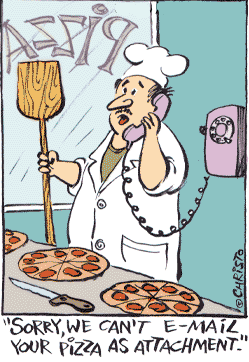
E-Mail attachment


_____________________________________________________________________________________

Labels: ,